

While most people share common fears like death, public speaking, and rejection, software developers have an additional dread – receiving a bad code review. But why does a simple checkup cause so much stress and negative emotions? Is it because we fear being judged or appearing incompetent in front of our peers? Or perhaps we’ve put effort into our work and fear it being criticized?
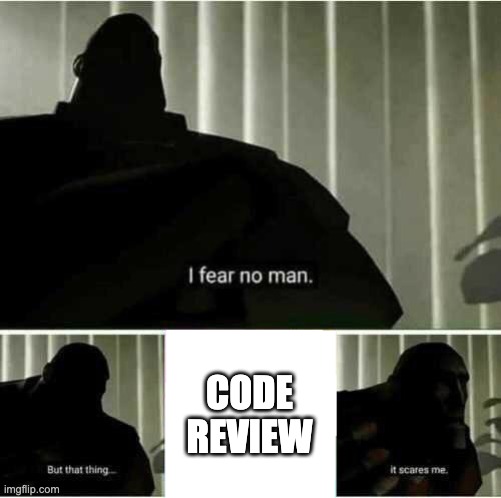
Whatever the reason, code reviews can be stressful experiences, but they shouldn’t be. On the contrary, when done well, they can be pleasant experiences where both sides learn a lot from each other.
In this post, I’ll describe best practices for the “dreaded” code review process from the perspective of a reviewer. Ever wondered how to perform code reviews that your team looks forward to? Want tips on how to persuade challenging teammates to apply your suggestions? Buckle up and let’s dive in!
Evaluate the code, not the author.
“You are not your code” – you’ve probably heard this phrase many times. And yet, sometimes even experienced developers get uncomfortable when their work is criticized. Why is that?
Primarily because of our limbic system – the oldest part of our brain and essentially one big differential engine. It constantly analyzes information we receive through our senses and assesses if it differs from our expectations. When it detects a potentially threatening difference, like spotting a bear in the woods, the fight-or-flight response is triggered. One critical aspect of the limbic system is that it needs to act fast. After all, if our ancestors had hesitated during their encounters with predators, we wouldn’t be here today.
What does this have to do with code reviews? Quite a lot. Though thousands of years have passed since the Stone Age, our brains haven’t evolved that much. Our limbic systems still assess information from our surroundings for potential threats to our existence. While we’re no longer at risk of being eaten by wolves or bears, care to guess what happens if we perceive the code we produce as part of our identity? Every criticism aimed at our code automatically becomes an “attack” on “us”. The limbic system rushes in to defend, putting us into fight-or-flight mode, significantly reducing our cognitive abilities. The predicted drop in the IQ could be up to 10-15 points. Oddly enough, this makes perfect sense. In the Stone Age, we didn’t need to strategize about which parts of our bodies a bear would eat first. One might argue that running faster would have been a better use of that energy…
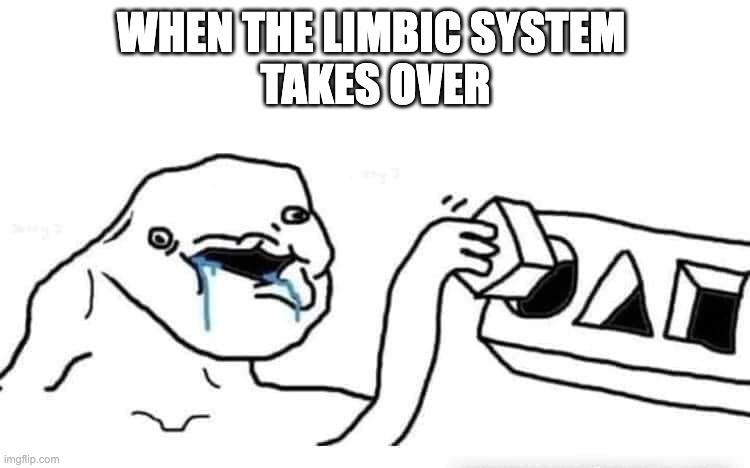
I hope now it’s more understandable why some seemingly innocuous comments can cause a spiral of hostility in GitHub comments. Yes – a spiral. Because reviewers can often associate their remarks as part of their “self” identity too…
So, what can we do to ensure our remarks get through? The answer is simple, but not easy – try writing our remarks in the way that would not trip the limbic system. Here are some of my favorite mind hacks that ensure that beast remains asleep:
- Use “we” instead of “you”:
E.g.Do we really need to use a singleton here?
It’s one of the simplest ways to bypass the limbic system. Instead of creating a “me” versus “you” dynamic, we create a “we” versus “the problem” scenario. Rather than “attacking” the author, you collaborate to tackle the problem together. In this particular case, the issue is straightforward – unless absolutely necessary, we should avoid singletons in the app. And the author probably knows this. So, what alternatives can we come up with together? - Provide an explanation (even the simplest one):
E.g.It would be cool if you could add tests to this VM. Making sure the user gets the payment completion feedback is critical.
Have you heard of the “Copy Machine Study”? It demonstrated that simply providing a reason behind a request – even if it’s not particularly compelling – significantly increases compliance. In the experiment, when someone asked to cut in line at the copy machine, their success rate was around 60%. However, when they added a trivial explanation like “because I’m in a rush,” compliance jumped to 94%. Surprisingly, even using a circular reason like “because I have to make copies” resulted in a 93% success rate. Naturally, the more facts and sound logic you can provide to back the requested changes, the more likely you’ll get your remarks implemented! - Use humor to lighten the mood:
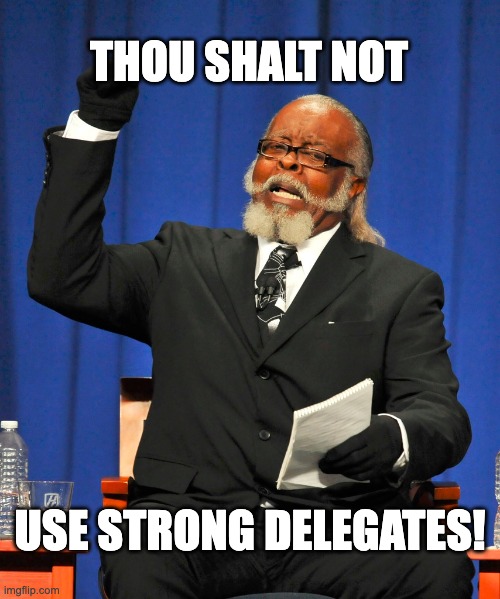
E.g.You shall not pass!(targeted at strongly referenced delegate).
Animated GIFs, memes, jokes, paraphrasing famous quotes, etc. – anything that can lighten the mood (and defuse the limbic system) works well. But what if someone doesn’t appreciate a little humor? Is adding memes to code reviews truly professional? Let me put it this way: if your team is so rigid that they can’t maintain any perspective about their work, perhaps it’s time to consider moving on…
In the end, there’s one key principle to remember: evaluate the code, not the author. Even if you’re not comfortable using memes or giving frequent praise in your reviews, you can still be effective by simply providing clear explanations for your suggestions. Why not try this approach in your next review?
Code review is a dialogue
Remember when you were a child and your guardians (parents, teachers, etc.) sat you down for a “chat” after you did something inappropriate? How much actual conversation happened during these “chats”? Exactly – none. How did these “conversations” make you feel? Could you focus for even a minute before your attention drifted away? Even if your guardians were right and presented reasonable arguments, their message likely didn’t get through. Why? Because these “chats” resembled church sermons rather than actual conversations. And few people enjoy being preached to, especially when neither side shows interest in what the other has to say…
Now the important question: Is the code review process any different? As reviewers, we want to get our message across. The causes are noble: ensuring proper code quality, documentation, and adherence to best practices. When we spot a “mistake,” we add a remark, expecting the author to fix it. We often back up our comments with solid data and examples (e.g., links to blog posts, books, etc.) – anything to help the author understand our perspective and the necessity of the proposed change. And we almost always succeed! The changes are implemented, and we return to our tasks with a sense of duty fulfilled… only to find that the author made the same “mistake” again. What went wrong? Did the author intentionally disregard us or just didn’t understand the significance of our suggestion? Should we provide more examples? Gather more compelling “evidence” for the superiority of our approach? Or maybe the author simply agreed with our remarks to avoid a lengthy and draining discussion? Just like a child that kept nodding their head throughout their guardian’s tirades just to have them finished sooner? I think we all know the answer…
Another important factor contributing to successful code review is… being open to suggestions yourself! Yes, the fact that you’ve always implemented a certain feature in a specific way doesn’t mean it’s the only way to do it – nor the best one at that! If you need more information, don’t hesitate to ask the author to provide some examples, links to blog posts, etc.
But what happens when agreement can’t be reached? Here are my two favorite “tie-breakers” you could try:
- Start with the development standard.
If you have one, great! You can resolve potential conflicts quickly by referring to this “gentleman’s agreement” within the team. If your team hasn’t established a development standard yet, I strongly recommend setting one up.
The rule of thumb here is:accept the change if the code does the job, is safe, and meets the minimum quality standard(agreed on by the team). - Ask a tech lead or local Jedi master.
Find an impartial person you both respect. This person doesn’t need to be the most senior or longest-serving team member. Simply ask for their opinion and suggestions openly. E.g. a team’s Slack channel would be perfect. Include a quick TL;DR that explains the context of the proposed change and its implications.
Important: Don’t recap the entire discussion since it’s already in GitHub. Instead, provide minimal context and let your local Yoda examine the matter with fresh eyes. Ideally, they should add their comment directly to the discussion.
Above all however, remember to pick your battles. Is it really worth arguing about minor details like parameter names? Surely not. Even when the topic seems important (e.g., MV over MVVM), and you believe you’re right, consider whether it’s worth creating resentment in the team. Sometimes “agreeing to disagree” is the better option. You can always revisit the discussion later with more experience and context on both sides. Who knows – you might even view the matter differently then?
Look at the whole picture
You’ve just completed an important feature. Poured your heart into it, made sure key elements are covered with unit tests, and documented all public-facing APIs. You feel elated – you’ve done a great job. Then you submit your work for review and receive 20+ remarks…
Even if these remarks are on point and written politely, you probably don’t feel as good anymore. Why? Has your work suddenly become less valuable? Of course not! Those 20 comments simply make you feel that your entire work is somehow deficient.
This is your limbic system at work (again). Because you put so much effort into the work, it has become a part of your “self” that needs protection. Instead of seeing the remarks for what they are – suggestions for improvement – you feel compelled to defend your code.
But what if you asked the reviewer to rate your PR overall? In the vast majority of cases, they would say they liked it. If so, why did they add so many remarks? Well… to make this code (in their mind) even better!
Now imagine they added that overall impression as the final comment for the review – and that comment would be the first thing you see when responding to the review. It changes things, doesn’t it? Suddenly, you can see these 20+ remarks for what they truly are – proposed changes to make your already great contribution even better. You’d likely no longer feel compelled to “defend” your work. Moreover, I bet you’d feel motivated to actually implement the remarks now. So, what has changed? The comments? No. Your code? Hardly. The reviewer’s intent? Most likely not either. The context did! And context really does change everything!
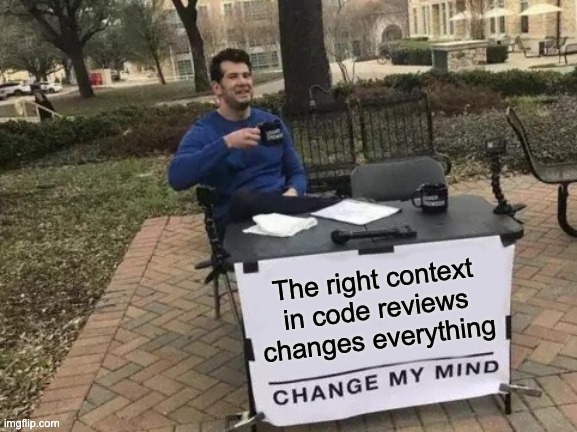
From now on, consider adding a quick and positive summary of every non-trivial pull request you’re reviewing. Trust me, you’ll be surprised by the reception and the effect it achieves. What should you include in such a summary? Let’s take a look:
- Samples of Craftsmanship:
E.g.I really loved how clear and readable the API is ❤️ Great work overall 🚀
Take note of code testability, documentation quality, readability, etc. Share everything you genuinely appreciated about the PR. - Things that you have learned:
E.g.That's the first time I see unowned let in action 🧐 TIL 🙇
Your teammates might often introduce novel ideas and implementations you might not have heard of before. Acknowledge these learning moments! I like to mark such code with TIL (Today I Learned), but mentioning it in your review summary works just as well. - Refactorings:
E.g.Great job rewriting LoginViewModel tests into Swift Testing 💪
Gradual refactoring is the only proven method of keeping the codebase healthy over time. Solutions that worked 6, 12, or 18 months ago quickly become outdated unless steadily improved on. Each time a developer invests their time to do this, they should be recognized and praised. - “Quality of Life Improvements” added:
E.g.Big 🙇 for implementing User Session mocks 👏👏👏
When team members go the extra mile to improve the developer experience in the codebase, they deserve recognition – regardless of the size of their contribution. Did someone extract boilerplate test code into a dedicated Mock? Praise them! Did someone fix a typo in the documentation? Celebrate that too! As they say: “No good deed should go unpunished”.
As you can see, the context truly changes everything. When you add a positive summary to your reviews, authors are more likely to view the comments as helpful suggestions rather than criticism. To increase the chances of your recommendations being implemented, make writing positive summaries a regular code review practice. Trust me — it works!
Automation is your friend
What are the most common remarks added during code reviews? According to a comprehensive study by Google, code review comments typically fall into several key categories. Documentation improvements and additions represent nearly one-third of all analyzed remarks. General code quality – including complexity reduction and architectural suggestions – accounts for 27%. Test coverage and quality issues make up 18%. And my favorite category, style, and formatting suggestions, comprises almost 16%.
What does this tell us? That roughly two-thirds of pull request comments are actually unnecessary and could be automated. And remember – this is Google we’re discussing. In other companies, the proportion of repetitive, unnecessary remarks could be even higher.
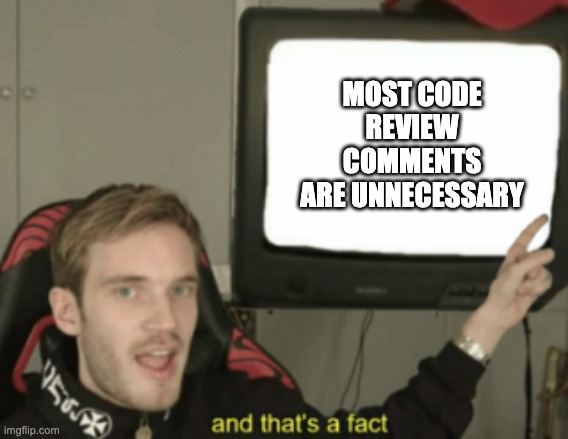
Here are some of my favorite automation tools that will save you hours of unnecessary code review arguments. There’s no particular order or ranking between them. Try introducing them one by one into your project if you haven’t already – you’ll thank me later!
- SwiftLint:
A must-have tool to perform basic static code analysis and enforce your team’s chosen coding style and conventions.
There are a couple of ways to integrate SwiftLint into your project, but I’d recommend running it as a build step. This way, it will stop the app from compiling if any major violations are detected (e.g., strong delegates) and highlight the violation for you in Xcode. How do you define major violations? It’s arbitrary, but I’d start with the usual suspects:force_cast,force_try,force_unwrapping(in production code), etc. - SwiftFormat:
A great tool to automatically format and rewrite portions of your code.
Unlike SwiftLint, I recommend launching SwiftFormat manually from the console. While it would be easy to integrate as a build step, there are several important considerations: First, formatting takes time and changes multiple files across the workspace. If the operation isn’t completed before the compiler starts, you’ll experience weird glitches and errors. Second, does it really matter to the compiler what kind of header a file has? Or if comments aren’t aligned perfectly? Not really. So you can safely leave the final “grooming” of the code until you’re ready to commit it for review. Finally, it’s worth applying SwiftFormat only to files you’ve changed. This way, the process won’t take as long, and you can introduce formatting changes to your codebase gradually. Otherwise, you’re facing one big PR… A sample script to execute SwiftFormat from the console on updated files can be found here: https://github.com/pkozielecki/ios-dynamic-styling-poc/blob/main/Scripts/format.sh - Danger Swift:
An industry standard for code review automation.
Equipped with many plugins, it can validate (and annotate) PRs against virtually any metric. Out of the box, you can enforce checks for PR descriptions and length. With a little effort, you can visualize unit test coverage for modified files and highlight linter warnings. There are two versions of Danger: the original written in Ruby, and its younger sibling written in Swift. The Ruby version, being older, offers more plugins, community support, and code samples. The trade-off? You’ll need Ruby dependencies and a runtime environment (which you likely already use). Not to mention having to implement your Dangerfile in Ruby as well. The Swift version is ideal for Apple ecosystem projects. It offers direct access to Swift APIs and types, with potentially faster execution. While you’ll need to ensure your CI environment supports Swift (likely not an issue for iOS projects), you’ll have to work with a smaller community and fewer resources compared to the original Danger.
As you can see, automation tools can dramatically cut down on repetitive code review comments while enforcing consistent coding standards. As shown in the Google studies, that’s almost two-thirds of our work as reviewers! Let’s eliminate these issues before they reach the review stage and focus our energy on what truly matters – architecture, code readability, and design patterns.
Summary
So, here we are. Thanks for sticking to the end!
We began by discussing why code review can be so unpleasant and we’ve identified the culprit – our limbic system. Fortunately, now that we know the “enemy,” we can make efforts to neutralise it. Adding a positive summary to reviews changes the context so comments are seen as helpful suggestions rather than criticism. Be sure to highlight craftsmanship, things you learned, refactorings, and quality-of-life improvements.
Next, concentrate on things that truly matter: architecture, code clarity, etc. Leave things like code formatting, unit test coverage calculation, conformance to Swift coding conventions, etc. to automation tools. Don’t be afraid to lighten the mood. Using humor, or even memes, could go a long way to diffuse the limbic system and avoid triggering a fight-or-flight response in the author.
Finally, remember that code review is a dialogue. Learning goes both ways. Each time I look at the code my teammates prepared for me, I do so with an expectation to learn new things. The same goes for my remarks. I welcome an opportunity to stand corrected if the suggestions I made were not optimal. Arguably, that’s the easiest way to keep learning.
But what if other people don’t share this point of view? What if they defend their code like the Mont St. Michel? It’s always useful to have a development standard or ADRs describing the preferred implementation across the team. If that doesn’t help, do like all the wise military officers and pick your battles. Not every line of code is worth fighting over!
Don’t miss any new blogposts!
By subscribing, you agree with our privacy policy and our terms and conditions.
Disclaimer: All memes used in the post were made for fun and educational purposes only
They were not meant to offend anyone
All copyrights belong to their respective owners
Some images were generated using Leonardo AI
Audio version generated with TTS Maker


